Buying B2B email data can help sales and marketing teams reach the right companies faster. But the provider you choose matters. A large database filled with outdated, irrelevant, or poorly verified contacts can waste your budget and create unnecessary deliverability and compliance risks.
In 2026, buyers have more options than ever. B2B data providers range from enterprise sales-intelligence platforms to pay-as-you-go list vendors and specialized providers that build custom audiences.
So, where should you buy email lists?
The answer depends on your ideal customer profile, target market, required data fields, verification standards, budget, and how you plan to use the information.
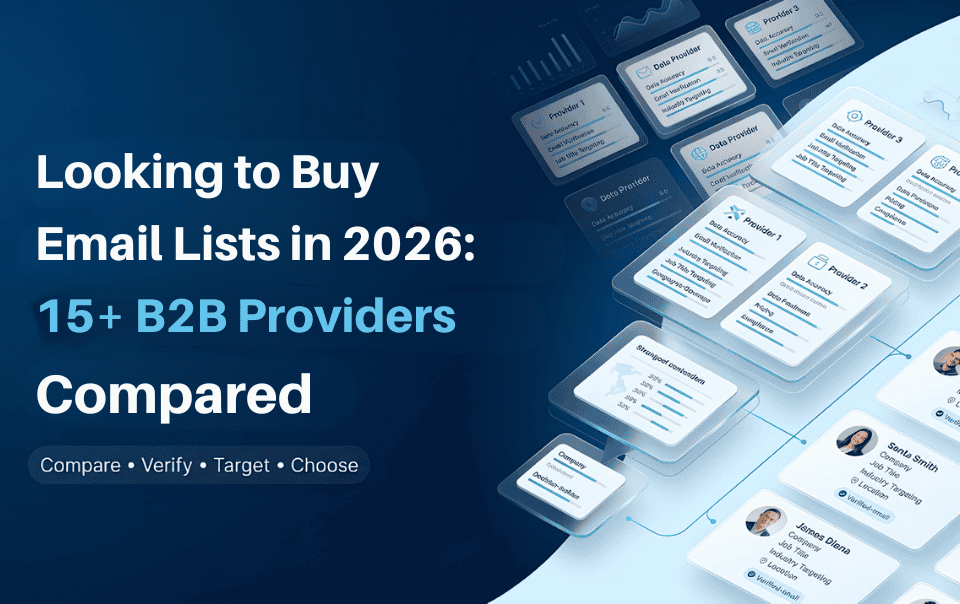
This guide compares 15+ B2B email list providers and explains what to check before buying, how much lists can cost, how to evaluate data quality, and what to do after receiving your contacts.
The best place to buy a B2B email list is a provider that can give you relevant, current, appropriately verified business contacts that match your ICP. Data quality, targeting, freshness, compliance, and pricing matter more than database size alone.
You can buy B2B email data from several types of providers:
These options are not identical.
If you need more than a static contact list, understanding B2B data services can help you compare databases, enrichment solutions, and specialized data providers.
A searchable sales-intelligence platform may let you create lists yourself using filters. A custom list provider may build the audience for you based on specific criteria. A static list may simply contain a defined group of contacts in a downloadable file.
Before choosing a provider, decide which model fits your workflow.
For example, a sales team that continuously searches for new prospects may prefer a database platform. A marketing team entering a new industry may prefer a custom industry-specific list.
If you are building the audience yourself, first define your ICP and targeting criteria. DataCaptive’s guide to building a segmented B2B email list explains how industry, job title, company size, geography, and other attributes can be used to create a more relevant audience.
There is no single provider that is ideal for every business. The right choice depends on what you need the data to accomplish.
The providers below represent different approaches to B2B contact data, from enterprise intelligence platforms to targeted list providers.
| Provider | Best Suited For | Typical Approach |
|---|---|---|
| DataCaptive | Targeted B2B contact lists | Custom and targeted data |
| Cognism | Enterprise GTM teams | Sales intelligence platform |
| ZoomInfo | Enterprise sales and marketing | Sales intelligence |
| Apollo | Prospecting and outreach | Database + engagement |
| UpLead | Verified B2B prospecting | Credit-based database |
| Lusha | Contact discovery | Contact intelligence |
| Lead411 | Sales intelligence | Contact + company data |
| Hunter | Email discovery and verification | Email-focused platform |
| Kaspr | LinkedIn prospecting | Contact enrichment |
| LeadIQ | Prospecting and CRM enrichment | Sales intelligence |
| SalesIntel | B2B contact and account data | Sales intelligence |
| Seamless.AI | Prospect discovery | Contact database |
| BookYourData | List purchasing | Pay-as-you-go data |
| Leadfeeder | B2B company identification | Website visitor intelligence |
| RocketReach | Contact discovery | Professional contact search |
Note: Pricing, database sizes, credits, features, and product capabilities change frequently. Always confirm current commercial terms directly with the provider before purchasing.
Best for: Businesses that need highly targeted B2B contact lists with industry, job-title, and geographic segments.
It’s particularly suitable for teams looking for verified, custom-built data delivered in flexible formats, with API integration and data enrichment options.

Key considerations:
DataCaptive states that its database is refreshed on a 45-day cycle and that customers can request a sample based on specific targeting criteria.
Best for: Mid-market and enterprise organizations that need sales intelligence, particularly for European and international GTM programs.

Best for: Larger organizations looking for a broad sales and marketing intelligence platform.

ZoomInfo combines contact and company information with search, intent, organizational, and sales intelligence capabilities.
It can make sense for companies that need more than downloadable contact data and want a broader revenue-intelligence environment.
The main consideration is cost and complexity. Enterprise platforms may be excessive for a small business that simply needs a targeted list for one campaign.
Best for: Sales teams and startups that want prospecting and outreach capabilities in one platform.

Apollo combines a B2B contact database with prospecting and outreach workflows. Cognism’s current comparison identifies Apollo as an all-in-one option for prospecting and engagement and reports that Apollo offers more than 200 million contacts and 60 million companies.
Apollo can be attractive when your team wants to identify prospects and manage outreach from the same environment.
Best for: Businesses that prioritize verified contact information and a straightforward credit-based prospecting workflow.

UpLead currently offers a seven-day free trial with five credits. Its Essentials plan is listed at $99 per month, while Plus is listed at $199 per month. It also advertises 95% email accuracy and provides CRM integrations, advanced filters, technographics, enrichment, and buyer-intent features on applicable plans.
This can make UpLead useful for teams that want to search for specific contacts instead of purchasing a generic spreadsheet.
Best for: Contact discovery and prospecting.
Lusha provides business contact and company information for sales and recruiting workflows. It is generally more appropriate for teams that need contact discovery and prospecting functionality than for buyers looking for a highly customized static industry list.
Best for: Sales teams that want contact data combined with company intelligence and buyer signals.
Lead411 currently lists a free seven-day trial with 50 exports. Its paid Spark plan is listed at $49 per month, while other plans provide additional exports, API access, buyer intent, and other features.
Best for: Finding and verifying professional email addresses.

Hunter takes a more email-focused approach than broad sales-intelligence platforms. It supports email discovery, domain-based searches, email verification, and list verification.
This can be a useful option when your primary requirement is finding or validating professional email addresses rather than building a complete account-intelligence workflow.
Best for: LinkedIn-based prospecting.

Kaspr provides contact information through its browser extension and LinkedIn-focused workflow. Its current pricing page lists a free plan, a Starter plan beginning at $49 per month, and a Business plan beginning at $79 per month when displayed in USD.
The platform is particularly relevant for users who discover prospects through LinkedIn and want to enrich those profiles with contact information.
Best for: Prospecting and CRM data enrichment.
LeadIQ combines contact discovery, sales triggers, CRM enrichment, and AI-assisted prospecting.
Its current pricing page lists a free plan and a Pro plan starting at $200 per month, with credits used for email, phone numbers, and enrichment.
Best for: Sales teams that want contact and account data with enrichment capabilities.

SalesIntel’s current pricing page emphasizes unlimited export and enrichment credits on its listed offering, alongside contact, firmographic, technographic, intent, and research capabilities. Pricing is request-based.
Best for: Prospect discovery and sales teams looking for a broad contact-search platform.

Seamless.AI focuses on contact discovery and sales prospecting. It may suit teams that want a prospecting platform rather than a vendor delivering a custom static list.
Best for: Buyers who want a more direct list-purchasing model.

BookYourData is frequently included in current 2026 email-list comparisons and is positioned around purchasing targeted contact data.
This approach can be useful when you know the exact audience you want and prefer purchasing defined contact data rather than paying for a large sales-intelligence platform.
Best for: Businesses interested in identifying companies visiting their websites.

Leadfeeder is different from a conventional purchased email-list provider. Its strength is identifying and researching companies showing website interest.
That makes it more relevant to account identification and website-driven prospecting than simply purchasing a predefined list.
Best for: Professional contact discovery.

RocketReach is another option for finding professional contact information. It is worth considering when your workflow starts with specific people or companies and you need contact discovery rather than a large custom industry database.
Outdated contacts, poor targeting, and unverified data waste sales time. Compare 15+ B2B providers and find the data quality, targeting, and pricing your team needs.
There is no universal price for an email list.
Current 2026 market comparisons show a wide range of pricing because providers sell different products. Some charge per contact or export, some use credits, and enterprise platforms may charge subscription or contract fees. UpLead, Lead411, Kaspr, and LeadIQ, for example, currently use different credit-based or subscription models.
Your cost can depend on:
A small, highly targeted list can therefore cost more per contact than a large generic database.
This model works well when you need a defined number of contacts for a specific campaign.
You pay for the records you purchase rather than maintaining a large database subscription.
These are useful when sales teams continuously build prospect lists.
You typically pay for access, credits, users, exports, or a combination of these.
Custom lists can be useful when your ICP is very specific.
For example, you may want:
U.S. healthcare technology companies with 100–1,000 employees, targeting CFOs, revenue-cycle leaders, and IT decision-makers.
That is very different from purchasing a generic “healthcare email list.”
Enterprise platforms may bundle contact data with:
These products can make sense for larger revenue teams but may be unnecessary if your only requirement is a targeted contact file.
Not necessarily.
A better calculation is:
Cost per usable contact = Total list cost ÷ valid and relevant contacts
Imagine two providers.
Provider A:
20,000 contacts
$500 cost
70% relevant and usable
Provider B:
8,000 contacts
$600 cost
90% relevant and usable
The second list may create more usable opportunities despite containing fewer records.
The same principle applies to lead generation.
List size is a volume metric. Usable contacts are a business metric.
Depending on the provider, records may include:
Common company email addresses include:
More advanced databases may include:
The exact fields vary by provider and product.
If your existing CRM contains incomplete information, B2B data enrichment can help fill missing fields and improve the usefulness of existing records. DataCaptive’s B2B enrichment service describes a process involving cleansing, validation, matching, appending, and verification.
Verification is one of the most important factors to evaluate before purchasing data.
A provider may use several layers of checks.
This identifies obvious formatting problems in email addresses.
Even a valid email address can become outdated when someone changes jobs.
That is why verification should be viewed as an ongoing process rather than a one-time event.
DataCaptive states that its B2B email data goes through a seven-tier human and AI verification process involving cleansing, validation, authentication, matching, updating, and expert review.
For another perspective, this guide to the best email verification tools explains checks such as syntax validation, MX records, domain checks, catch-all detection, spam-trap detection, and disposable-email identification.
Never judge a provider only by its database size.
Use a sample-first approach.
Ask for a sample that resembles your actual target audience.
A generic sample does not tell you much about whether the provider can reach your ICP.
Verify company names, domains, locations, and other important fields.
Ask:
Start with your Ideal Customer Profile (ICP).
Do not start by searching for the biggest database.
Start by answering:
Who are we trying to reach?
Identify the people involved in the purchase.
That may include:
Determine whether your best customers are:
Specify:
Depending on your campaign, you may need:
Your list requirements change depending on whether you’re trying to:
DataCaptive’s current guide on targeted B2B prospect lists recommends defining industry, company size, revenue, geography, technologies, job titles, and business challenges before building the audience.
A generic business database can contain thousands of contacts who have no reason to buy your product.
An industry-specific list starts with relevance.
For example, a company selling healthcare software may want to target:
Instead of purchasing every business contact in the United States.
Industry-specific targeting can also be combined with industry-specific mailing lists to narrow your audience by industry, job title, company size, and geography.
Industry + Job Title + Company Size + Geography
That creates a much narrower audience.
DataCaptive’s industry-specific mailing list guide recommends defining the ICP and using criteria such as industry classification, job title, company size, revenue, and location before purchasing data.
The legal requirements depend on factors such as:
Canada has specific rules governing commercial electronic messages, including requirements around consent and related obligations.
The important takeaway is simple:
“Purchasing contact data does not automatically grant unlimited permission to market to every person on the list.”
Before launching a campaign, understand the laws applicable to your audience and use case.
Also review the provider’s data-sourcing and compliance documentation before buying.
Very low prices can indicate questionable data quality.
Contact information changes constantly.
Ask what regulations apply and what processes support those claims.
Find out what happens when records don’t meet agreed requirements.
Avoid anonymous or unverified sources where you cannot determine:
Random spreadsheets and cheap marketplace files may appear inexpensive, but the actual cost can emerge later through wasted sales time, poor targeting, invalid records, and campaign problems.
A reputable B2B data provider should be able to explain its process.
| Approach | Best For | Main Advantage | Main Limitation |
|---|---|---|---|
| Buy targeted data | Speed-focused teams | Faster access to contacts | Provider quality matters |
| Build internally | Highly specific audiences | More control | Time-intensive |
| Use a database | Ongoing prospecting | Continuous access | Subscription/credit costs |
| Request a custom list | Specific ICPs | Precise targeting | May cost more |
Buying can make sense when:
Building internally can make sense when:
If your requirement is specifically business-domain contacts, understanding how to find corporate email lists can help you compare manual research, databases, and specialized providers.
Many businesses can combine the two.
For example:
Use a B2B provider to identify the market → enrich the accounts → verify the contacts → add your own research → prioritize prospects.
Best for:
A platform where you search and filter contacts.
Best for:
A provider creates the audience based on your criteria.
Best for:
An existing list is improved with additional contact and company information.
Best for:
The right choice depends on how frequently you need data and how much control you want over audience creation.
Use this workflow:
Purchase → Review → Verify → Clean → Deduplicate → Suppress → Segment → Personalize → Test → Monitor → Refresh
Group contacts based on:
Before using purchased data, review:
DataCaptive’s email verification content explains that verification tools can check syntax, domains, mailbox status, spam traps, temporary addresses, and role-based addresses.
This is also where a dedicated email verification platform can be useful.
A good list does not make an irrelevant campaign effective.
Use the data responsibly by:
The objective should be relevance, not simply sending to as many addresses as possible.
Do not judge a list by the number of contacts alone.
Track business outcomes.
Total list cost ÷ valid, relevant contacts
B2B data changes constantly.
People:
Companies:
Ask:
However, DataCaptive can be particularly relevant when your priority is targeted B2B contact data rather than simply access to a large prospecting platform.
| Factor | DataCaptive | Other Providers |
|---|---|---|
| B2B contact data | ✓ Yes | Varies |
| Industry targeting | ✓ Yes | Varies |
| Job-title targeting | ✓ Yes | Varies |
| Geographic targeting | ✓ Yes | Varies |
| Custom lists | ✓ Yes | Varies |
| 7-tier verification | ✓ Yes | Varies |
| Human + AI verification | ✓ Yes | Varies |
| Data enrichment | ✓ Yes | Varies |
| XLS/CSV delivery | ✓ Yes | Varies |
| API options | ✓ Yes | Varies |
| 45-day database update cycle | ✓ Yes | Varies |
| Multiple compliance frameworks | ✓ Yes | Varies |
DataCaptive may be worth considering when you need:
Sales representatives can use targeted contact data to reduce manual prospect research.
Marketing teams can use business data to support account-based campaigns and market expansion.
Agencies can create client-specific audiences without rebuilding every database from scratch.
Recruiters can use targeted professional contact data to identify relevant businesses and decision-makers.
The best email list provider is not necessarily the one with the largest database.
Choose based on what your business actually needs.
Best for targeted B2B contact lists: DataCaptive
Best for enterprise GTM intelligence: Cognism or ZoomInfo
Best for prospecting and outreach workflows: Apollo
Best for verified prospecting: UpLead
Best for LinkedIn-focused prospecting: Kaspr
Best for email discovery and verification: Hunter
Best for sales intelligence and contact data: Lead411 or SalesIntel
Best for custom industry-specific audiences: DataCaptive and other specialized list providers
Before you buy, define your ICP, request a relevant sample, evaluate data quality, understand verification and freshness, review compliance requirements, and determine how the data will fit into your sales or marketing workflow.
The goal should not be to buy the largest email list.
The goal should be to acquire the right B2B contacts for the right business objective.
If you already know the industries, job titles, locations, company sizes, or other criteria you want to target, DataCaptive can help you build a customized B2B contact audience around those requirements.